Smart Home Installation in Brooklyn: The 2025 Guide for Pre-War and Modern Homes
Smart-home tech has matured to the point where almost every Brooklyn home can be automated — but pre-war brownstones, walk-up apartments, and converted warehouses each present unique challenges. This guide walks through the practical realities of smart-home installation in Brooklyn, what platform to choose, and what a quality installation actually costs in 2025.
The Three Biggest Brooklyn Smart-Home Challenges
1. Missing Neutrals in Pre-War Switch Boxes
Most pre-war Brooklyn homes were wired without a neutral wire at switch locations — switches simply broke the hot leg. Many "smart" switches need a neutral to power their internal electronics 24/7.
Three solutions:
- Pull a neutral from the nearest circuit (best long-term, requires opening walls or fishing through ceilings)
- Use a no-neutral smart switch — Lutron Caséta works without a neutral; most Decora Smart and Kasa models do not
- Use a smart bulb instead — leave the dumb switch in the wall in the always-on position
2. Shallow Switch Boxes
Old metal switch boxes in plaster walls are often 1.5 inches deep. Many smart switches need 2+ inches to fit. The fix is a deeper "extra-deep" box or a "switch extender" — straightforward for an electrician, surprise-disaster for a DIYer.
3. WiFi Dead Zones in Brick Buildings
Brooklyn brick attenuates WiFi like nothing else. A single router in the front room won't cover a 60-foot brownstone. The solution is a wired mesh — typically Ubiquiti or Eero with ethernet backhaul, with an access point in the front, middle, and rear of the home. This is part of any serious smart-home install.
Pick the Right Ecosystem
The single biggest decision is which ecosystem to commit to. They are mostly compatible, but day-to-day usability depends on matching the platform to your existing devices.
Apple HomeKit
- Best for: iPhone households, privacy-focused users
- Strengths: Local processing, end-to-end encryption, beautiful Home app
- Weaknesses: Fewer compatible devices than Google/Alexa
- Hub: HomePod mini or Apple TV ($99–$129)
Google Home
- Best for: Android households, deep search/voice usage
- Strengths: Best voice recognition, broadest device support
- Weaknesses: Less privacy-focused than Apple
- Hub: Nest Hub or Nest Hub Max
Amazon Alexa
- Best for: Households with multiple Echo devices already in place
- Strengths: Largest device compatibility, lowest hardware cost
- Weaknesses: Voice recognition trails Google; UI is utilitarian
- Hub: Echo Hub or any Echo device
Lutron Caséta (Lighting Specifically)
For lighting, Caséta is the gold standard regardless of which ecosystem you choose for everything else. It works with all three platforms via the Lutron bridge.
What to Install First
If you're starting out, here's the sequence we recommend for Brooklyn homes:
Phase 1: Foundation ($1,500–$3,500)
1. Smart thermostat (Ecobee, Nest, or Honeywell T9) — biggest energy ROI
2. Smart switches on primary lighting — living room, kitchen, primary bedroom
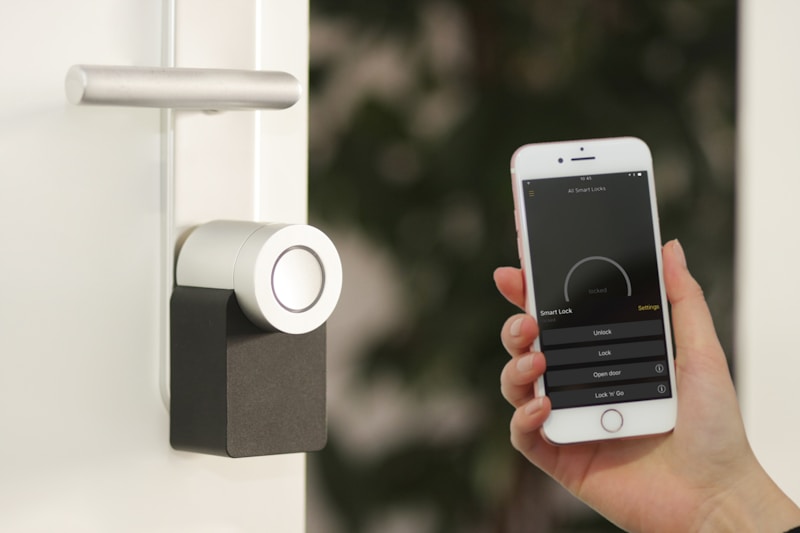
3. Smart deadbolt + doorbell camera — security + convenience
4. WiFi mesh upgrade — eliminate dead zones before adding more devices
5. Smart smoke/CO detectors — First Alert Onelink or Nest Protect
Phase 2: Expansion ($1,500–$3,000)
1. Smart blinds or shades — Lutron Serena, Hunter Douglas PowerView
2. Whole-home Lutron Caséta or Leviton Decora Smart on every switch
3. Smart sprinklers (front garden or backyard) — Rachio, Hydrawise
4. Smart leak detectors — basement, washing machine, dishwasher
Phase 3: Polish ($1,000–$3,000)
1. Scene programming — "goodnight," "morning," "movie," "leaving home"
2. Automation rules — lights on at sunset, thermostat back when no motion for 2 hours
3. Security camera integration — Ring, Nest, or Eufy
4. Smart locks for short-term rental properties (different keypad codes per guest)
What a Whole-Home Brooklyn Smart Install Costs
| Scope | Typical Cost |
| --- | --- |
| Single-room conversion (4–6 switches, 1 dimmer) | $600–$1,100 |
| Foundation phase as above | $1,500–$3,500 |
| Whole-floor Caséta or Leviton smart switches (15–20 switches) | $2,800–$5,500 |
| Whole-home smart conversion (switches, thermostat, locks, cameras, blinds) | $6,000–$14,000 |
This includes parts, labor, NYC permits where required, and family training.
Common Mistakes to Avoid
1. Mixing too many ecosystems. A Caséta dimmer, a Decora Smart switch, and a Kasa plug each have their own app. Pick one ecosystem and stick to it.
2. Smart bulbs everywhere. Smart bulbs cost 4× dumb bulbs and stop working when someone hits the wall switch. Smart switches are better for any fixture that's controlled by a wall switch.
3. No-name brands. Cloud-based smart devices from no-name brands sometimes lose their cloud (the company shuts down). Stick with Lutron, Leviton, Lutron, Apple, Google, Amazon, or established brands.
4. Forgetting the WiFi. A 60-device smart home overwhelms a single consumer router. Plan the network first.
Why Use a Professional Electrician for Smart-Home Work
Most smart switches require:
- A live neutral (sometimes needs to be pulled)
- A switch box deep enough to accept the device
- Proper grounding of the equipment grounding conductor
- An LED-compatible dimming circuit when used as a dimmer
Doing this work without a professional electrician means working in a live panel without permits — a code violation in NYC that can void homeowners insurance. Doing it with a professional electrician means it's filed properly and your insurance stays valid.
Our Process
1. Discovery call — we learn your routines, which devices you already own, and what you want automated
2. Walkthrough and audit — we open switch boxes, check for neutrals, measure WiFi
3. Quote — itemized by device, with platform recommendations
4. Install day — most homes take 1–2 days
5. Family training — we sit down with everyone in the house and walk through the app
Call Jetco at (667) 455-6368 or [contact us](/#contact) for a Brooklyn smart-home consultation.